
Cake Mountain Controls
WASD, thumbstick, jump, camera, and the spoon tool. No secret bind list — the listing never shipped one.
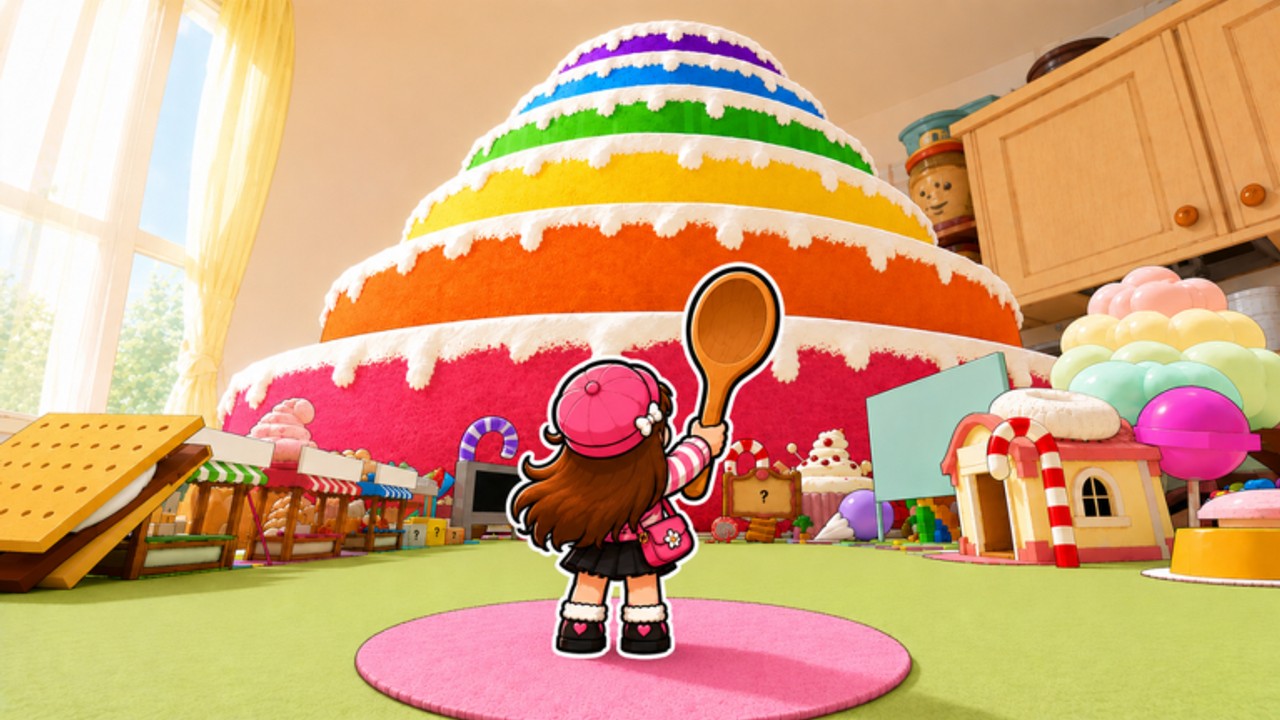
Cake Mountain uses Roblox’s default character controls. FUNgry has not published a custom key map, a shift-lock note, or a mobile overlay screenshot. This page is the honest controls article players search for: how you move in the kitchen, how you swing the wooden spoon, and how PC and mobile differ. If you want the full loop after the binds feel natural, switch to how to play. If you just spawned, getting started is still the first read.
Servers hold eight players. You are not in a menu clicker. You walk, you aim the camera at frosting, and you activate a tool. A weak spoon with perfect binds still farms Commons. Binds do not replace upgrades.
PC defaults
- W A S D — move. Hold W toward the layer you want. Strafe with A and D so you do not walk off a cake ledge while looking at a Rare.
- Space — jump. Use it to step onto the next frosting tier, not to skip the dig loop.
- Mouse — camera. Cake Mountain is a 3D kitchen. You have to look at the mountain to aim the spoon.
- Left click / tool activate — swing or use the equipped spoon. Roblox tools fire on the activate bind. If the spoon is in the backpack instead of the hand, it will not dig.
- Shift — sprint on many Roblox experiences if shift-lock or run is enabled. The listing does not confirm a custom sprint. Try it. If nothing happens, walk. 2x Speed at 59 Robux is the paid movement pass, not a bind.
Pin the Roblox settings menu if camera sensitivity feels wrong. This wiki will not invent a “best sensitivity.” Family games vary by display.
Mobile and tablet
- Left thumbstick — move.
- Right drag — camera.
- Jump button — the on-screen jump control.
- Tool button — activate the spoon. On touch, missing the tool button is the usual reason a new player “cannot dig.”
Auto-clickers and executors are not controls. They belong on script safety if you even consider them. This page stays on legitimate input.
Camera and the mountain
The official screenshot shows a rainbow layered cake filling a kitchen. You stand on a pink rug with a wooden spoon. Camera work matters because rarity is in the mountain, not in a HUD this wiki can quote. Look up to climb. Look into a hole you already dug if you are hunting deeper tags. How to get rare cakes is the depth habit. Controls only let you face the frosting.
If other players block the view, remember the server size is eight, not a packed sim. Walk around them. Do not expect a spectator bind FUNgry never listed.
Tool and inventory
Equip the spoon before you walk to the mountain. A full bag does not swing. Selling is a separate action covered in how to sell. Eating, implied by Iron Stomach and 2x Eating Speed, is also not a movement bind. Do not mash jump to eat.
Controller users get Roblox’s standard gamepad map: left stick move, right stick camera, A/cross jump, trigger or face button for tool. If a face button does nothing, open Roblox’s experience controls overlay and check which button is Tool.
Accessibility and comfort
This is a family listing with mild crude humor. You can play seated. You can lower camera shake in Roblox settings if the kitchen feels busy. There is no confirmed colorblind mode unique to Cake Mountain. If you cannot read rarity colors, lean on the cake collection habit: keep a unique look even when you are unsure of the tag.
No YouTube ID is embedded here. A search for Cake Mountain Roblox still does not return a verified FUNgry gameplay tutorial this wiki will fake. Learn binds in the live place from official links, then come back to controls only if you forgot which hand holds the spoon.
After the binds work
Move, look, jump, swing, fill, sell, upgrade. That is the whole input list. Join the group luck bonus so the swings you already know how to make hit rarer tags. Check the updates hub if a future patch ever ships a custom control screen — none had as of 7 September 2026, when the universe last updated without a named changelog.
Frequently Asked Questions
Quick answers to the most common Cake Mountain questions.
What are the Cake Mountain keybinds?
Default Roblox: WASD move, Space jump, mouse camera, click to swing the spoon. FUNgry has not published a custom map.
How do I dig on mobile?
Move with the thumbstick, look with the right drag, then tap the tool button with the spoon equipped. See how to play for the loop around those binds.
Does Cake Mountain have shift lock?
The listing does not confirm a custom shift-lock. Use Roblox’s own camera settings if you want it.
Why is my spoon not swinging?
It is probably unequipped. Put the spoon in your hand, then activate the tool. A full bag is a sell problem, not a bind problem.
Is there a controls video?
Not a verified FUNgry tutorial we can embed. Play the live kitchen linked from official links.